01
Bring the source
Create a profile for any niche, import a sitemap or product URL, and select the content worth promoting.
Generate, review, and schedule Pinterest campaigns for any Pinterest-compliant niche. No prompt engineering. No scattered tools.
Campaign control
Monthly pins
238 / 600
Active jobs
2
Publish queue
124
Completed today
38
Every Pinterest niche
Real PinBuilds outputs
These are genuine pins created by PinBuilds—not placeholder cards. Open any sample to inspect the full-resolution recipe, architecture, gardening, or technology output.
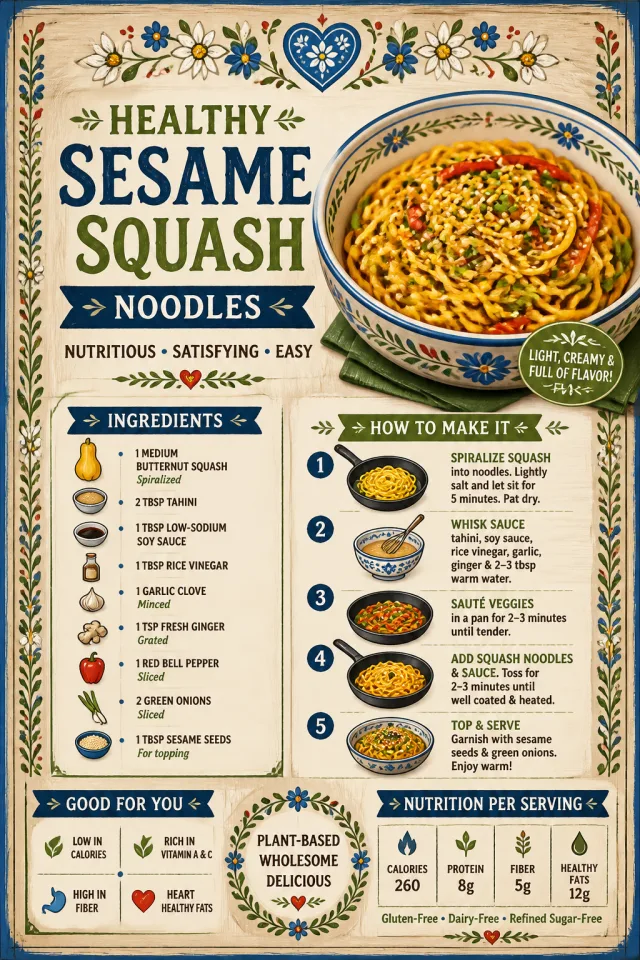 Real outputRecipe infographic · View full size
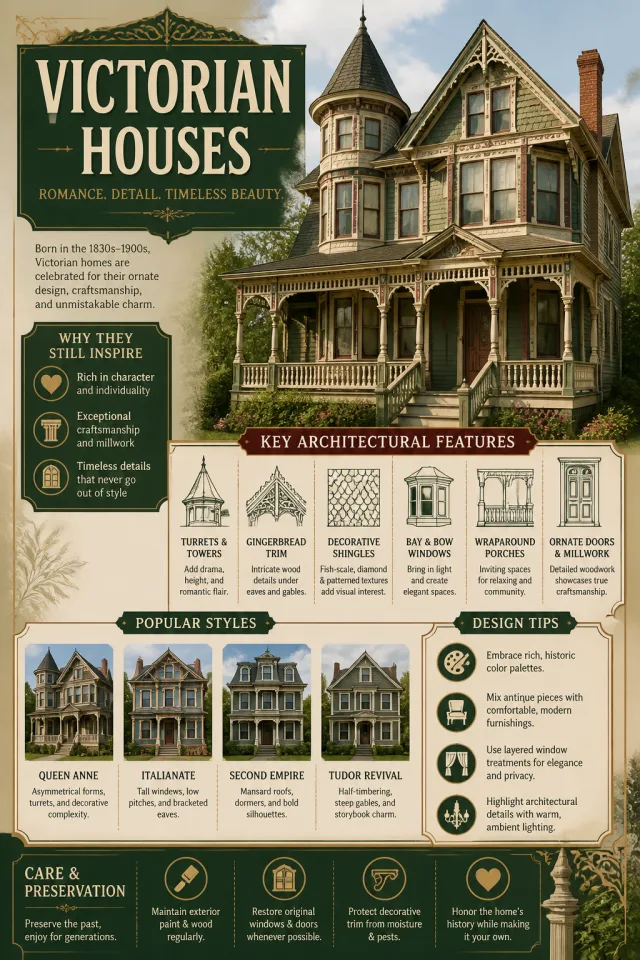 Real outputArchitecture guide · View full size
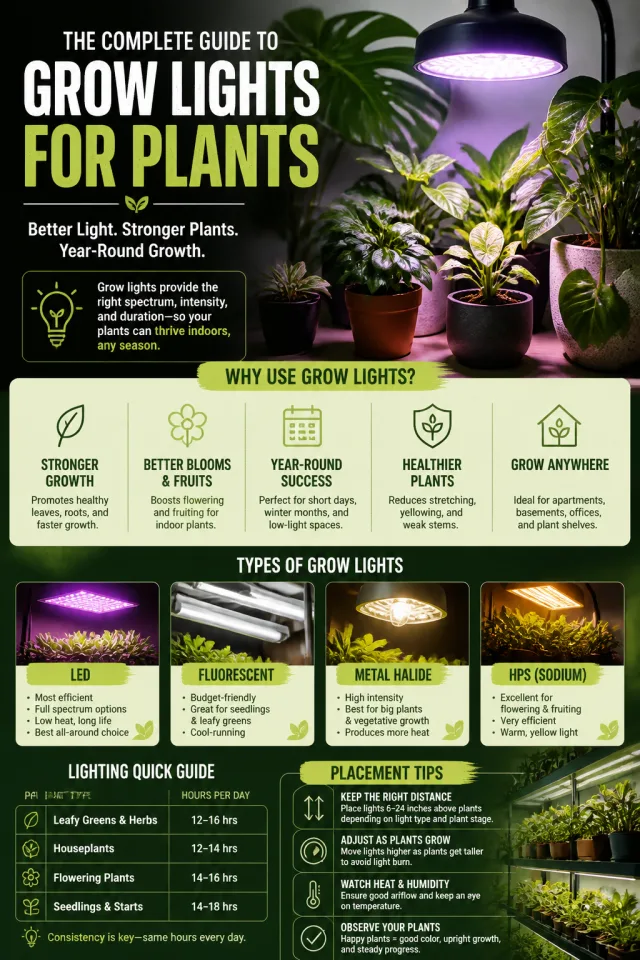 Real outputGardening guide · View full size
 Real outputTechnology pin · View full size
One source, a varied campaign
PinBuilds varies layouts, visual directions, overlays, and formats while keeping every result aligned with the source content.
A calmer production loop
The workflow shows what is ready, what is rendering, and what needs your review. Generation continues server-side even if you close the browser.
Create a profile for any niche, import a sitemap or product URL, and select the content worth promoting.
Generate images, infographics, titles, descriptions, and deliberate variations as one batch.
Review the work, prevent duplicates, space URLs intelligently, and schedule directly to Pinterest.
Who PinBuilds is for
Posts, listings, or products: if it lives on a page, PinBuilds turns it into Pinterest pins and keeps them going out on schedule.
Turn every post, new and old, into fresh pins. The WordPress plugin or your RSS feed hands new posts over automatically.
Learn morePaste your shop URL. PinBuilds makes pins from your real listing photos and pins new listings for you. No Etsy login needed.
Learn moreProducts import from your public storefront. Product pins always show the real product, and prices are drawn exactly, never guessed by AI.
Learn moreRun many sites and Pinterest accounts from one login. Each profile keeps its own boards, styles, and posting hours.
Ask Claude, ChatGPT, or Cursor to make and schedule pins for you, and review the results in your PinBuilds calendar.
Learn moreBuild on the REST API, MCP server, and webhooks, or hand finished pins to Postiz or Publer.
Learn moreSee it in action
A full walkthrough: add your site or shop, connect Pinterest, review the pins, and turn on Autopilot.
Pinterest on autopilot
Turn on Autopilot once. PinBuilds checks your blog or shop every hour, makes pins for anything new, and schedules them inside your own pins-per-day limit and posting hours. It can also work through your older content a few items a day.
Connect your Pinterest account
Secure sign-in through the official Pinterest API
Add your blog, Etsy shop, or store
Any blog with an RSS feed, Etsy, Shopify, or WooCommerce
Turn on Autopilot
New items first, then 0–10 older items per day
Premium operational depth
Dense information is grouped by decision: source readiness, generation progress, usage status, and publishing state. The interface stays calm because every panel has one job.
Sources ready
24
Validated URLs
Creative queue
38 / 50
12 rendering
Schedule span
12 days
Board spacing on
Generation progress
LiveConnected where it matters
Publish natively, automate from WordPress, hand work to your scheduler, or control campaigns from an AI agent. The important paths are built in without turning setup into another project.
Connect accounts and schedule through Pinterest's official API with board-aware spacing.
Turn new posts and an existing backlog into generated, scheduled Pinterest campaigns.
Use Codex, Claude, Cursor, automation tools, or your own application with PinBuilds.
Send directly to Postiz or Publer, use webhooks, or export scheduler-ready packs and CSVs.
Works with your AI assistant
PinBuilds runs a hosted MCP server. Connect your assistant once with a secure PinBuilds sign-in, then ask in plain words. Every pin lands in your PinBuilds workspace, where you can review it.
Claude
Custom connector, any device
ChatGPT
Custom connector with sign-in
Claude Code
One command, then sign in
Cursor
Add to mcp.json
Gemini CLI
One command, then sign in
Codex, VS Code, Windsurf
MCP with an API key
Custom connectors in some assistants depend on your plan with that assistant.
Setup guidesExample conversation
A fair trial by design
Every account starts in trial mode. Profile setup supports popular presets and any custom niche, and checkout stays unavailable until you review a successful trial pin.
Create a profile for your niche
Before generation
Create up to 10 successful pins
During 7 days
Unlock subscription checkout
After fit is confirmed
Transparent plans
Every paid plan includes the complete workflow. The difference is monthly production capacity.
For bloggers building a consistent Pinterest habit
For active publishers scaling fresh-pin production
For multi-site teams and client workflows
All plans include the integrations above. The 7-day, 10-pin trial starts before payment, and checkout unlocks after you review a successful pin.
Questions
Can't find your answer? Write to contact@pinbuilds.com.
PinBuilds turns your blog posts, Etsy listings, and store products into Pinterest pins: images, infographics, titles, descriptions, and keywords. It then schedules them to your boards through the official Pinterest API, by hand or on Autopilot.
Every account starts with a 7-day trial that includes 10 successful pins. You do not enter a card. Checkout unlocks only after you have reviewed a successful pin, so you see the output before you pay.
You connect your account with the Pinterest sign-in, and PinBuilds publishes through the official Pinterest API. PinBuilds never asks for your Pinterest password. PinBuilds is not affiliated with or endorsed by Pinterest.
Only pins that are generated successfully count toward your monthly limit. Failed pins never use your allowance. A Photo Pin, made from your own product photo without AI image generation, counts as a quarter of a pin.
Yes. Add your shop or store URL and PinBuilds imports your products from public data, with no store login. Product pins always show your real product photo, and prices are added exactly as listed. Store Autopilot can pin new products automatically.
No. PinBuilds works with any site that has a sitemap or an RSS feed. The free WordPress plugin is optional: it sends new posts and your backlog to PinBuilds automatically.
Yes. PinBuilds has a hosted MCP server. Claude, ChatGPT, Claude Code, Cursor, Gemini CLI, and other MCP clients can make pins, check your usage, and schedule pins after you sign in to PinBuilds. Setup guides are on the AI assistants docs page.
Any niche whose content follows Pinterest rules. More than 20 popular niches, such as recipes, home decor, gardening, and travel, get tailored styles, and any custom niche uses a general style set.
Yes. Every plan includes unlimited site profiles. Each profile can link its own Pinterest account, boards, styles, pins per day, and posting hours.
Starter is $24 per month for 250 pins, Pro is $49 for 600 pins, and Agency is $99 for 1,500 pins. Yearly billing gives two months free. Your pin allowance resets every month. Cancel anytime. Full refund within 7 days of your first monthly payment or 14 days of your first annual payment.
Ready for your niche